Table of Contents

Win more bids. Close more jobs. Start with our newsletter.
Get exclusive insights, tips, and trends your competition doesn't want you to know.

Quick Answer: To post from Facebook to Instagram, link your accounts through Meta Accounts Center, enable cross-posting in your settings, then select "Share to Instagram" when creating a Facebook post. This feature requires business or creator accounts on both platforms.
Key Takeaways
- Cross-posting lets you share the same content to Facebook and Instagram simultaneously, saving time while maximizing reach
- You must connect a Facebook Business Page and an Instagram Business or Creator account via Meta Accounts Center
- Cross-posting works best for single-image posts, stories, and Reels—carousels and albums are not supported
- For business pages, cross-posting now runs through Meta Business Suite
Table of Contents
While Facebook and Instagram are great for family vacation photos or catching up with an old high school friend, they’re also valuable marketing tools for your roofing business.
Strategically posting on social media should be part of any business’s modern marketing strategy. Marketing your roofing company on social media can help you appeal to more customers, improve SEO, increase market reach, and develop your brand.
While several social media platforms are out there, today, we’ll focus on Facebook and Instagram. In this blog, we’ll show you how to post from Facebook to Instagram, go over the benefits of cross-posting, and show you how to connect your Facebook and Instagram accounts.
Let’s dive in!
Cross-posting from Facebook to Instagram
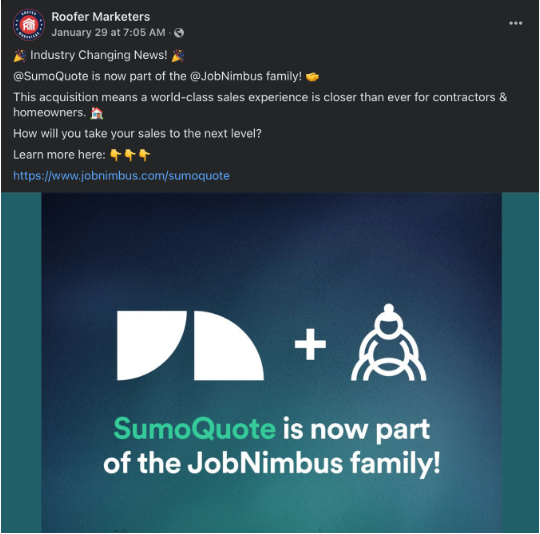
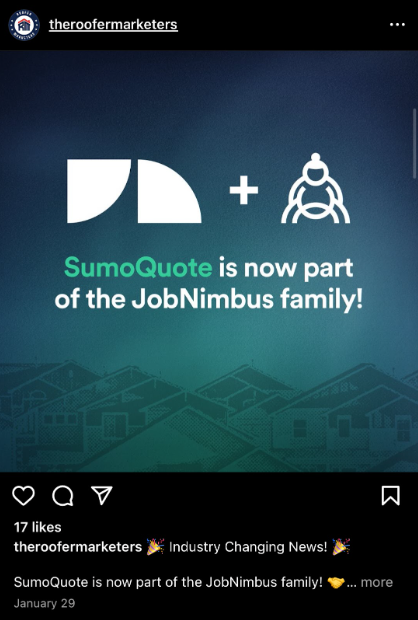
Posting the same content across multiple platforms is called cross-posting. Cross-posting is a great way to get your content out there, save time, and stay efficient with your marketing efforts. See an example of the same content posted to Facebook and Instagram below:
Prerequisites for Cross-Posting
Before you can cross-post, ensure you have:
- A Facebook Business Page (not a personal profile)
- An Instagram Business or Creator account
- Both accounts connected via Meta Accounts Center
- Admin access to the Facebook Page
Facebook (FB) and Instagram (IG) are both owned by the same parent company, Meta. Cross-posting between the two platforms is an easy way to save time and maximize your content.
Content you should cross-post:
- Stories
- Videos or reels
- Announcements
- Polls
Sharing the same content on Facebook and Instagram helps your roofing business maintain a consistent presence across your social media accounts. With the right social media strategy, your roofing business can stand out in a competitive market.
Why Can’t I Post from Facebook to Instagram?
If you’re struggling to seamlessly post your content from Facebook to Instagram, follow these steps. You’ll need to have linked business profiles on Facebook and Instagram to get started.
How to link your Facebook and Instagram accounts:
- Select “Edit Profile” on your Instagram account.
- Select “Page” from the “Public Business Information” section.
- Select “Connect an Existing Page” or “Create Facebook Page,” depending on whether you have a business Facebook account.
- Save changes.
Once your Instagram and Facebook pages are linked, you should see the page in the drop-down menu on your profile. If the above checklist doesn’t work for you, ensure your Facebook settings have the correct permissions enabled.
Once your profiles are linked, you’ll see the option to “post to Instagram” when you create Facebook posts. Select this option to have your Facebook post published on Instagram as well.
How to Automatically Post Content from Facebook to Instagram
In your Facebook settings, toggle the option to “turn on cross-posting” and select which types of content you want to post between Facebook and Instagram automatically. You can cross-post stories, reels, or posts from Facebook to Instagram or vice versa.
While you can set up your account to automatically publish every Facebook post on Instagram, you can toggle this option off for specific posts. This flexibility is handy for the content you want to keep exclusive to one platform.
How Do You Share a FB Reel on Instagram?
Facebook and Instagram Reels are short-form videos posted on each platform. The videos are in a format similar to TikTok videos or YouTube Shorts. You can share Facebook Reels to Instagram easily.
To start sharing your Facebook Reels to Instagram, you must ensure both of your business accounts are added to the same Accounts Center. Follow the instructions we outlined above to link your accounts.
Once your accounts are connected, you’ll see an option to “Share to Instagram” when you post a Facebook Reel. Once you select that and click post, you’re all set! Your Facebook Reel will be published on both Facebook and Instagram.
Limitations & Restrictions
Cross-posting from Facebook to Instagram has some important limitations to keep in mind:
- Single images only: Cross-posting works for single-image posts. Carousels, albums, and multi-image posts are not supported.
- Video compatibility: Not all video formats transfer seamlessly; check that your video meets Instagram's specifications.
- Caption adjustments: Captions may need platform-specific adjustments, as hashtag strategies and character limits differ between platforms.
- Reach considerations: Meta prioritizes native posting per platform, which may affect reach for identical cross-posted content compared to content created natively on each platform.
Troubleshooting
If you're experiencing issues with cross-posting, try these solutions:
- Instagram option not appearing: Disconnect and reconnect your accounts through Meta Accounts Center.
- Sharing toggle turning off unexpectedly: Go to Accounts Center, remove the Instagram connection, and re-add it.
- Content not transferring properly: Verify your post format is compatible (single image or Reel) and meets Instagram's requirements.
- Cross-posting not working for your page: Confirm you have admin access to the Facebook Page and that your Instagram account is a Business or Creator account.
FAQ
Can I cross-post Reels from Facebook to Instagram? Yes, but with limited support. You can share Reels when posting from Facebook, but some features or effects may not transfer. Always preview your content on both platforms.
Does cross-posting work for personal accounts? No. Cross-posting requires a Facebook Business Page and an Instagram Business or Creator account. Personal profiles do not support this feature.
Can I share a post to Instagram after it's already published on Facebook? No. The cross-posting option must be enabled before you publish. Once a post is live on Facebook, you cannot retroactively share it to Instagram through the cross-posting feature.
Will my cross-posted content perform the same on both platforms? Not necessarily. Meta may prioritize natively created content, so cross-posted content might see different engagement levels compared to posts created directly on each platform.
Conquer Your Roofing Social Media Marketing
Mastering your business’s social media strategy takes a lot of research, time, and dedication. From knowing when to post on social media to building and managing multiple accounts, social media marketing can keep you busy.
Partner with JobNimbus Marketing for a marketing system designed to help roofers increase visibility, build brand awareness, and boost leads. Book a call with the JobNimbus Marketing team to learn more!


Blog / Guide Title CTA
Once you've created a strong Linkedin profile, you can leverage it as part of your broader marketing strategy. Use your Linkedin to share content, join industry groups, and network with others in the contracting space.
If you're looking for additional marketing support, consider partnering with JobNimbus Marketing to maximize your business growth. Schedule a call with our team to learn how to boost your marketing efforts today.
Blog / Guide Title CTA
Once you've created a strong Linkedin profile, you can leverage it as part of your broader marketing strategy. Use your Linkedin to share content, join industry groups, and network with others in the contracting space.
If you're looking for additional marketing support, consider partnering with JobNimbus Marketing to maximize your business growth. Schedule a call with our team to learn how to boost your marketing efforts today.
Download Our Free Tips for Recession-Proofing Your Company
We’ll show you five simple things you can do to help your business survive a recession.