

.avif)
Put your business on autopilot—without losing control
Running a successful contracting business means juggling leads, jobs, crews, and customers—often all at once. JobNimbus Automations help you build repeatable systems that keep your business moving forward automatically.
With Automations, you can:
- Respond faster to leads and win more jobs
- Eliminate manual follow-ups and reduce human error
- Keep your team aligned without constant check-ins
- Standardize your processes so every job runs smoothly
- Deliver a consistent customer experience from first contact to final payment
What you can automate
Automations in JobNimbus allow you to:
- Trigger tasks when a job changes status
- Send notifications to team members automatically
- Schedule follow-ups based on time or milestones
- Update records and keep pipelines moving
- Ensure accountability across your team
- Send consistent customer communication at critical project milestones
Whether you're scaling your sales process or tightening production workflows, Automations help you operate like a well-oiled machine.
Learn how to build powerful Automations
Choose the learning path that fits your goals:
Quick-start videos
Fast and practical learning, perfect for busy contractors who want to implement quickly.
Event-Based Automations
Trigger actions automatically when something happens in your JobNimbus account (e.g., status changes, new lead created).
Time-Based Automations
Schedule actions such as follow-ups, reminders, and check-ins automatically based on time.
Step-by-step courses
In-depth training designed to help you confidently build and scale your automation strategy.
Event-based Automations course
Learn how to create responsive workflows that move jobs forward automatically.
Time-based Automations course
Master follow-up systems that increase conversions and improve customer experience.

Knowledge base
Detailed guides, setup instructions, and troubleshooting resources to support your build.
Recommended
next steps
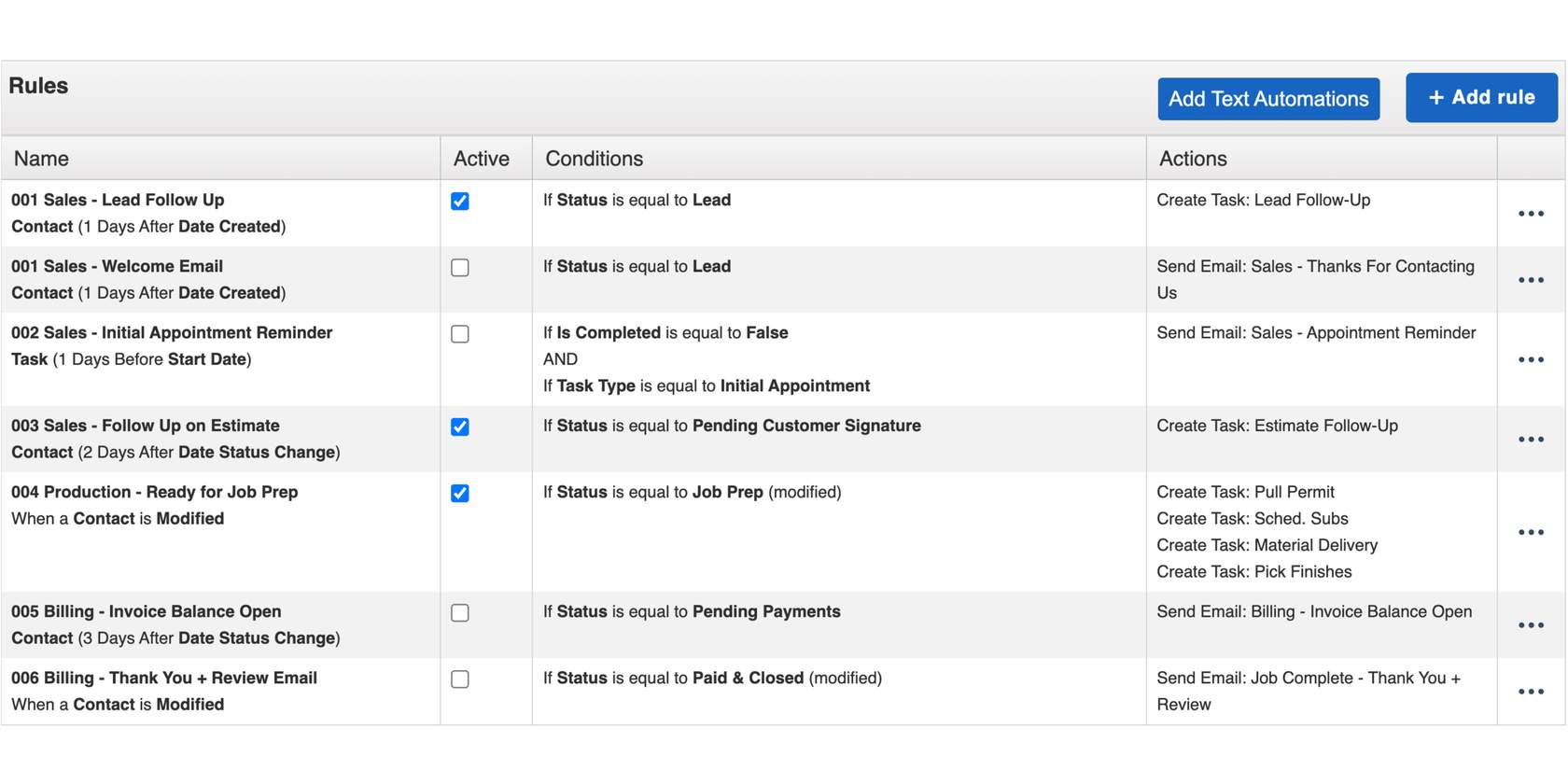
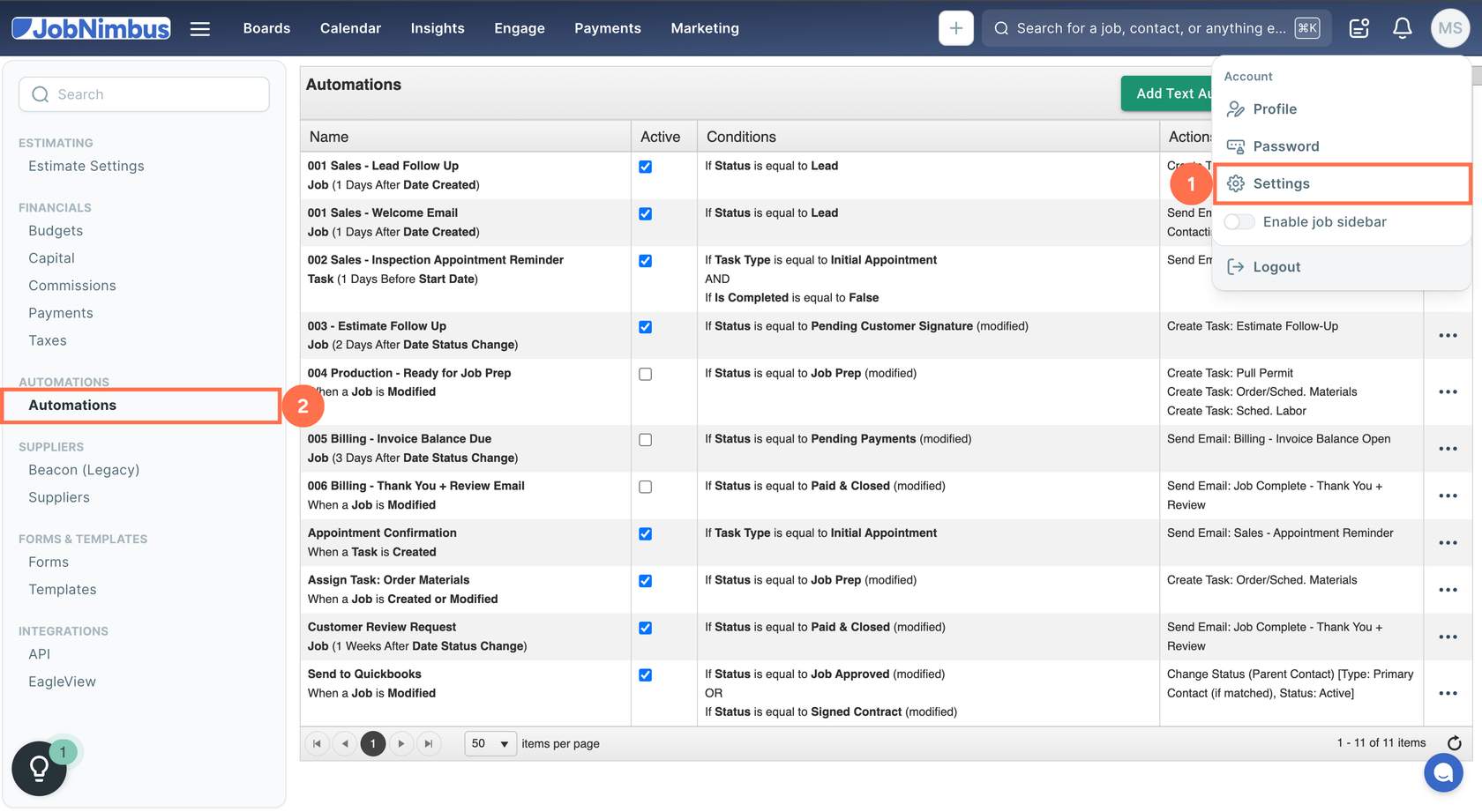
Explore the existing automations in your account. We recommend enabling:
- 002 Sales - Inspection Appointment Reminder Task (1 Days Before Start Date)
- 003 - Estimate Follow Up Job (2 Days After Date Status Change)
- 005 Billing - Invoice Balance Due Job (3 Days After Date Status Change)
- 006 Billing - Thank You + Review Email When a Job is Modified
For the 002 Sales Inspection Appointment Reminder, 005 Billing Invoice Balance Due, and 006 Billing Thank You + Review Email, you should also review your email templates to ensure the messaging and formatting are as expected.
Build at least one automation that saves you time this week. Consider any of the following:

How do I automate text messages? (Engage subscription required)
How do I create an automation to send a follow-up email when a contact has been sitting in a status for a certain amount of time?
How do I send an invoice automatically?
How can I get notified that a form has been completed?
Audit your current manual processes—identify bottlenecks or missed follow-ups and continue building automations to eliminate friction.
Review the full list of Automation Recipes in our Knowledge Base.
Review the full list of Automation Recipes in our Knowledge Base.
Feedback
Please take a moment to complete this brief survey to help us improve our resources.